






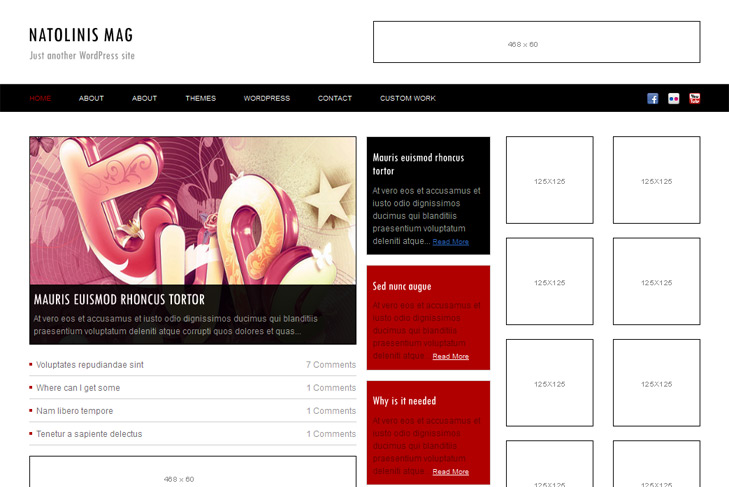
Theme Features:
- Content slider built in
- Most popular posts built in
- 2 x 468×165 banner slot
- 120×600 banner slot
- 8 125×125 custom banner slots
- Banner positions can be turned off
- Cross browser compatibility IE7, IE8, Firefox, Safari, Chrome, Opera
- Massive Admin Page Options
- WordPress 3.0 menu system supported + backwarkd compatability
- 2 Columns
- Right Sidebar
- Social Bookmarks
- About Us Section
- Flickr Widget
- Pages menu
- Exclude pages menu option
- Threaded comments, Trackbacks & Pingbacks are separated
- Gravatar ready
- RSS ready, Twitter ready, Subscription ready
- Post thumbnails (automatic image resizing)
- Latest articles on category (can be turned off)
- Page navigation included, no plugin required
- Google Analytics code script can be inserted
- Widget ready
- Readme included
- PSD Logo included
- WP 3.0 ready


Elegant Themes
ThemesForest
StudioPress
Thesis Theme
Mojo Themes


any way to hide “Categories” on the right sidebar?
That widget is set to automatically appear, and as soon as you publish any other widget via wp dashboard, it will dissapear. But, if you dont want anything at all in the sidebar, then you’ll need to open sidebar.php and delete it manually, from line 27 to 32.
hi, how to use the content slider?
Check the readme please.
Is this a menu-free theme? Although I added pages to the menu I created, and chosed and saved the menu, I can’t see subpages in the main menu? What can be wrong?
If you mean on dropdown menu, theme doesnt support it. Subpages can only be viewed within widgets, when you publish pages widget for example.
Right, I meant dropdown menus. Is there any other way except for using widgets?
Kind regards.
Well, you could with some tutorials or plugins. Check google, with query like this:
http://www.google.com/search?q=how+to+add+dropdown+to+wordpress+theme&ie=utf-8&oe=utf-8&aq=t&rls=org.mozilla:en-US:official&client=firefox-a
best for affiliate programs and adsense