






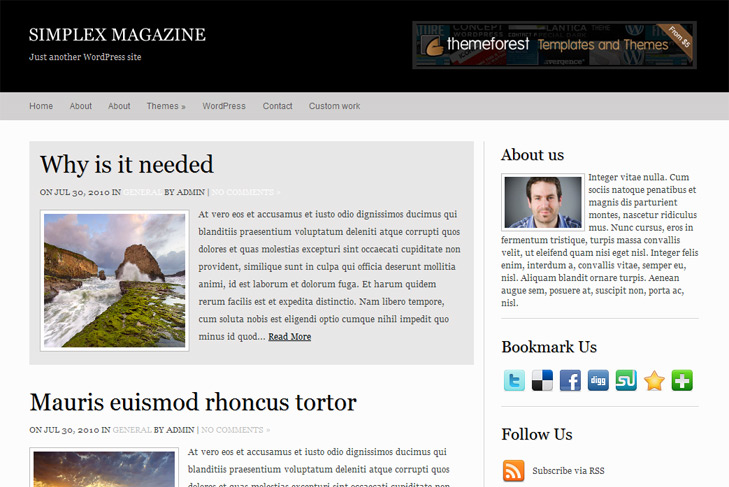
Theme Features:
- Content slider built in
- 468 x 165 banner slot
- 4 125 x 125 custom banner slots
- Banner positions can be turned off
- Cross browser compatibility IE7, IE8, Firefox, Safari, Chrome, Opera
- Admin Page Options
- WordPress 3.0 menu system supported + backwarkd compatability
- 2 Columns
- Right Sidebar
- Pages dropdown menu
- Exclude pages menu option
- Threaded comments, Trackbacks & Pingbacks are separated
- Gravatar ready
- RSS ready, Twitter ready, Subscription ready
- Post thumbnails (automatic image resizing)
- Page navigation included, no plugin required
- Google Analytics code script can be inserted
- Widget ready
- Clean coded
- Readme included
- PSD logo included
- WP 3.0 ready


Elegant Themes
ThemesForest
StudioPress
Thesis Theme
Mojo Themes


Hi, thanks for this wonderful theme. I am trying it out and i have difficulties changing the logo.png in th eheader.
I cannot overwrite nor delete the logo.png via ftp either.
Could you please tell me how to replace the simplextheme logo with the Logo of the website?
Thank you!
If you cant overwrite, its possible that you need to change permissions. Chmod images folder and logo.png to 777, try to replace the image. Then, just lock it again on 644.
Your themes are nice especially this but it is hard to change the logo even after reading the read me text. I guess I’ll have to pass on this one too and stick with a basic theme.
I always wondered why designers make customizing a theme so difficult, I just don’t get it.
Hi Minnie, whats the problem with the changing the logo?
You only need to replace logo.png image!
In psd folder you have logo.psd, just open it, click on big T in tools in photoshop, click on letter simplex magazine, type what you want, and turn off background layer in layers to get transparent background! Then just save this as png24 format in simplexmagazine/images/ folder – actually, you can just replace logo.png image.
Thats it!
I’m not sure what a psd folder is I am still new to html coding so I am lost and not only that but the pages show when I turn comments off instead of looking like a plain page.
Do you plan to make your themes more flexible? I know this theme is free but I can pay for more flexible features like colors, images etc.
Thank you for responding to my comment.
There is no psd folder, there is logo folder. Logo is zipped inside, so unpack it, open in photoshop for example, and just retype letters to what you want. Then click save for the web, choose png24 format, and save it in images folder as logo.png.
Pages by default should have comments, if you turn comments off for some page, you should get message “Comments off” or similiar. If you dont want comments at all on your pages, open page.php and remove comments call – comments_template. Delete that line.
Hello,
I would replace the pages by categories in the theme, under the logo. What is the solution?
Thanks !
Just make custom menu, and publish it. Thats it!
Hello! Sorry for my English. I’m from Russia.
Thanks for your themes. There are great. But i have a little problem with this theme.
On home page there are no sidebar. On other pages sidebar showing.
Yo can see it on my website.
Please help.
Please reinstall theme. Looks like you deleted calls for sidebar and footer in index.php and some other files.
I reinstall theme a lot of times. And nothing changes.
But finally i know why there was no sidebar and footer.
Plugin WP-PageNavi! I deactivate him and all is perfect)
Heheh, yes, that would be the reason. You have that in readme file.
I don’t know if it’s because it’s 2:30 in the morning but for the life of me I can’t figure out the slider portion of the template.
I can’t figure out where I am supposed to add the custom field.
Thanks in advance for helping me figure this out.
Great theme. Can’t wait to get it figured out.
Melissa
Heheh, since wp 3.0 custom fields are hidden by default. You need to enable them in Screen Options in top right corner of your dashboard.
They will appear under every post.
Thanks for the fast response. When I get moved I will work on it some more.